Node.js kullanarak bir Telegram Botu oluşturun

Bu yazımızda Node.js kullanarak Telegram'da bir bot oluşturmayı anlatacağız.

node.js - 13-09-2020 13:44

Bot, internette çalışan ve tekrarlayan görevleri yerine getiren bir yazılım programıdır.
Bu eğitimde, Pexels'ten resim indirmeye yardımcı olan bir Telegram botu oluşturacağız .

Öncelikle Telegramda bot oluşturmaya yardımcı olan bir bot arkadaş var ona gidiyoruz : BotFather 
BotFather, hepsini yöneten tek bottur. Yeni bot hesapları oluşturmak ve mevcut botlarınızı yönetmek için kullanın.

BotFather size aşağıdaki gibi bazı komutlar sağlar.

böylece bir Bot oluşturmak için /newBot komuta tıklayın . Bir bot oluşturduktan sonra BotFather size token sağlayacaktır.

NodeJS için pek çok iyi framework var, bu eğitimde Telegraf'ı kullanacağız.

Node.JS Kodlamaya Başlayalım

Projeyi başlatın ve Telegraf'ı kurun.

$ npm init $ npm install telegraf

Şimdi bir dosya oluşturun ve betik ekleyip basit bir bot yapalım.

const { Telegraf } = require('telegraf') const bot = new Telegraf(process.env.BOT_TOKEN) bot.hears('hi', (ctx) => ctx.reply('Hey there')) bot.launch()

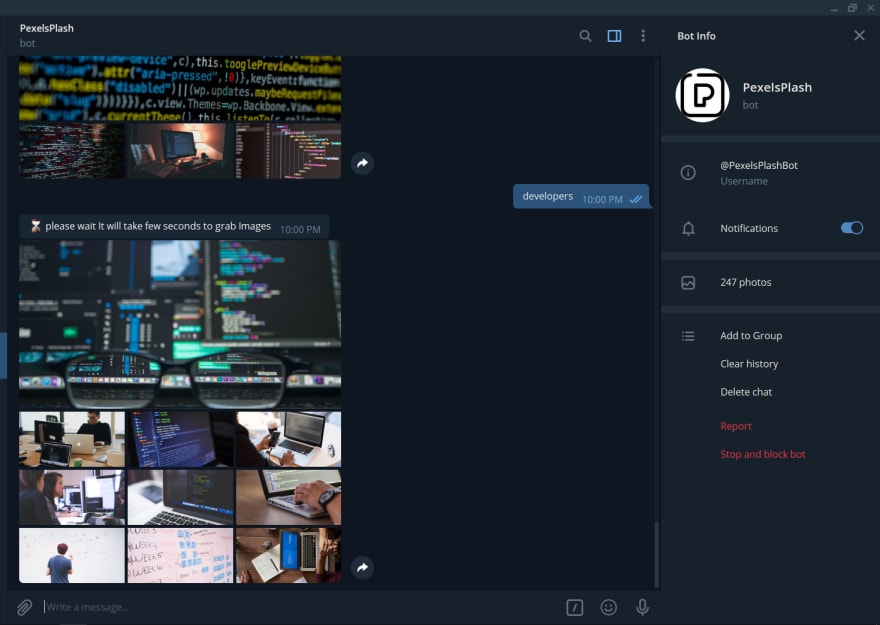
Ön izleme

PexelsPlashBot

Pexels'den bir kullanıcının istediği en iyi 10 fotoğrafı göndereceğiz. GET istekleri göndermeyi ve Pexels'ten veri almayı basitleştirmek için axios kitaplığını kurun.

npm install axios --save const { Telegraf } = require('telegraf') const app = new Telegraf(process.env.BOT_TOKEN); const axios = require("axios"); const pexelKey = process.env.PEXEL_KEY;

PexelsApi'den bir API anahtarı alabilirsiniz. Ve API anahtarını aldıktan sonra; 
const fetchImages = async (text) => { try { const { data: { photos } } = await axios.get(`https://api.pexels.com/v1/search?query=${encodeURI(text)}&per_page=10`, { headers: { Authorization: pexelKey } }).catch((e) => console.log(e)); // {photos} contains photos object recieved from Pexels if (photos.length > 0) { return photos.map(({ src }) => ({ media: { url: src?.original }, caption: "Pexel", type: "photo" })); // mapping response from photos object } } catch (e) { throw e; } } // when user sends a text message app.on("text") will call app.on("text", async (ctx) => { // A Telegraf Context encapsulates telegram update // So you can use everything you see there try { ctx.reply("Please Wait It will take few seconds to grab Images"); // bot will send a reply to users. // GET the data from Pexels API const photos = await fetchImages(ctx.message.text); // fetchImages will return image objects from pexels. photos.length > 0 ? ctx.replyMediaGroup(photos) : ctx.reply("Sorry Image not found :("); // if photos available then we are sending photos otherwise we are sending a reply as `Sorry Image not found :(` // we are sending 10 images here so replyMediaGroup accepts an array with objects of media, caption, and type } catch (e) { console.log(e); ctx.reply("Please try after sometime PexelsPlash is down :(") } });

Sonuç Olarak;

Gördüğünüz gibi, dakikalar içinde basit bir Telegram botu oluşturduk. ancak telegram bot API'lerini kullanarak daha harika şeyler yapabilirsiniz.


Günün Diğer Haberleri